Migrate to AssertJ from Hamcrest
In this tutorial, we'll use OpenRewrite to perform an automated migration from Hamcrest to AssertJ. AssertJ is more actively maintained than Hamcrest and is generally favored for testing assertions.
This guide uses org.openrewrite.recipe:rewrite-testing-frameworks, a Moderne source-available recipe module. Compiled binaries are only available to Moderne customers, hosted at the Code Genome Project. For non-commercial use you can compile and publish the recipe module locally to use the recipes.
Configuration
This recipe has no required configuration options. It can be activated by adding a dependency on `org.openrewrite.recipe:rewrite-testing-frameworks` in your build file or by running a shell command (in which case no build changes are needed):
OpenRewrite artifacts, including the Maven and Gradle plugins themselves, are distributed through the Code Genome Project repository (https://artifacts.codegenomeproject.org/maven), which requires authentication. Sign in to the Code Genome Project to create a download token; your build authenticates with the email or username you signed in with, plus that token as the password. See the quickstart guide for details.
- Gradle
- Gradle init script
- Gradle init script (Kotlin)
- Maven POM
- Maven Command Line
- Moderne CLI
- Put your Code Genome Project credentials in
~/.gradle/gradle.properties, so that they are not committed alongside your build:~/.gradle/gradle.propertiescodeGenomeUsername=you@example.com
codeGenomeToken=your-download-token - Add the Code Genome Project repository to your
settings.gradlefile, so that the plugin itself can be resolved:settings.gradlepluginManagement {
repositories {
maven {
url = "https://artifacts.codegenomeproject.org/maven"
credentials {
username = providers.gradleProperty("codeGenomeUsername").get()
password = providers.gradleProperty("codeGenomeToken").get()
}
}
// Keep the portal for any other plugins your build applies
gradlePluginPortal()
}
} - Add the following to your
build.gradlefile:build.gradleplugins {
id("org.openrewrite.rewrite") version("latest.release")
}
rewrite {
activeRecipe("org.openrewrite.java.testing.assertj.Assertj")
}
repositories {
mavenCentral()
maven {
url = "https://artifacts.codegenomeproject.org/maven"
credentials {
username = providers.gradleProperty("codeGenomeUsername").get()
password = providers.gradleProperty("codeGenomeToken").get()
}
}
}
dependencies {
rewrite("org.openrewrite.recipe:rewrite-testing-frameworks:3.49.0")
} - Run
gradle rewriteRunto run the recipe.
- Export your Code Genome Project credentials. Init scripts run before any project is configured, so they cannot read
gradle.properties:shellexport CODE_GENOME_USERNAME='you@example.com'
export CODE_GENOME_TOKEN='your-download-token' - Create a file named
init.gradlein the root of your project.init.gradleinitscript {
repositories {
maven {
url = "https://artifacts.codegenomeproject.org/maven"
credentials {
username = System.getenv("CODE_GENOME_USERNAME")
password = System.getenv("CODE_GENOME_TOKEN")
}
}
}
dependencies { classpath("org.openrewrite:plugin:7.41.0") }
}
rootProject {
plugins.apply(org.openrewrite.gradle.RewritePlugin)
dependencies {
rewrite("org.openrewrite.recipe:rewrite-testing-frameworks:3.49.0")
}
rewrite {
activeRecipe("org.openrewrite.java.testing.assertj.Assertj")
}
afterEvaluate {
if (repositories.isEmpty()) {
repositories {
mavenCentral()
}
}
repositories {
maven {
url = "https://artifacts.codegenomeproject.org/maven"
credentials {
username = System.getenv("CODE_GENOME_USERNAME")
password = System.getenv("CODE_GENOME_TOKEN")
}
}
}
}
} - Run the recipe.shell
gradle --init-script init.gradle rewriteRun
- Export your Code Genome Project credentials. Init scripts run before any project is configured, so they cannot read
gradle.properties:shellexport CODE_GENOME_USERNAME='you@example.com'
export CODE_GENOME_TOKEN='your-download-token' - Create a file named
init.gradle.ktsin the root of your project.init.gradle.ktsinitscript {
repositories {
maven {
url = uri("https://artifacts.codegenomeproject.org/maven")
credentials {
username = System.getenv("CODE_GENOME_USERNAME")
password = System.getenv("CODE_GENOME_TOKEN")
}
}
}
dependencies { classpath("org.openrewrite:plugin:7.41.0") }
}
rootProject {
plugins.apply(org.openrewrite.gradle.RewritePlugin::class.java)
dependencies {
add("rewrite", "org.openrewrite.recipe:rewrite-testing-frameworks:3.49.0")
}
extensions.configure<org.openrewrite.gradle.RewriteExtension> {
activeRecipe("org.openrewrite.java.testing.assertj.Assertj")
}
afterEvaluate {
if (repositories.isEmpty()) {
repositories {
mavenCentral()
}
}
repositories {
maven {
url = uri("https://artifacts.codegenomeproject.org/maven")
credentials {
username = System.getenv("CODE_GENOME_USERNAME")
password = System.getenv("CODE_GENOME_TOKEN")
}
}
}
}
} - Run the recipe.shell
gradle --init-script init.gradle.kts rewriteRun
- Add the Code Genome Project credentials to your Maven
settings.xmlfile (typically at~/.m2/settings.xml), replacingUSERNAMEandTOKENwith your own:settings.xml<settings>
<servers>
<server>
<id>codegenome</id>
<username>USERNAME</username>
<password>TOKEN</password>
</server>
</servers>
</settings> - Add the following to your
pom.xmlfile:pom.xml<project>
<repositories>
<repository>
<id>codegenome</id>
<url>https://artifacts.codegenomeproject.org/maven</url>
</repository>
</repositories>
<pluginRepositories>
<pluginRepository>
<id>codegenome</id>
<url>https://artifacts.codegenomeproject.org/maven</url>
</pluginRepository>
</pluginRepositories>
<build>
<plugins>
<plugin>
<groupId>org.openrewrite.maven</groupId>
<artifactId>rewrite-maven-plugin</artifactId>
<version>6.50.0</version>
<configuration>
<activeRecipes>
<recipe>org.openrewrite.java.testing.assertj.Assertj</recipe>
</activeRecipes>
</configuration>
<dependencies>
<dependency>
<groupId>org.openrewrite.recipe</groupId>
<artifactId>rewrite-testing-frameworks</artifactId>
<version>3.49.0</version>
</dependency>
</dependencies>
</plugin>
</plugins>
</build>
</project> - Run
mvn rewrite:runto run the recipe.
You will need to have Maven installed on your machine before you can run the following command. Since this approach leaves your pom.xml untouched, the Code Genome Project repository has to be declared in your Maven settings.xml file (typically at ~/.m2/settings.xml) instead: as a pluginRepository so that rewrite-maven-plugin itself can be resolved, and as a repository so that recipe artifacts passed to rewrite.recipeArtifactCoordinates can be resolved.
<settings>
  <servers>
    <server>
      <id>codegenome</id>
      <username>USERNAME</username>
      <password>TOKEN</password>
    </server>
  </servers>
  <profiles>
    <profile>
      <id>codegenome</id>
      <repositories>
        <repository>
          <id>codegenome</id>
          <url>https://artifacts.codegenomeproject.org/maven</url>
        </repository>
      </repositories>
      <pluginRepositories>
        <pluginRepository>
          <id>codegenome</id>
          <url>https://artifacts.codegenomeproject.org/maven</url>
        </pluginRepository>
      </pluginRepositories>
    </profile>
  </profiles>
  <activeProfiles>
    <activeProfile>codegenome</activeProfile>
  </activeProfiles>
</settings>
With those credentials in place you can run the recipe:
mvn -U org.openrewrite.maven:rewrite-maven-plugin:6.50.0:run --define rewrite.recipeArtifactCoordinates=org.openrewrite.recipe:rewrite-testing-frameworks:RELEASE --define rewrite.activeRecipes=org.openrewrite.java.testing.assertj.Assertj
You will need to have configured the Moderne CLI on your machine before you can run the following command.
mod run . --recipe Assertj
If the recipe is not available locally, then you can install it using:
mod config recipes jar install org.openrewrite.recipe:rewrite-testing-frameworks:3.49.0
For the full list of changes this recipe will make, see the reference page.
Before and After
Example test
Before
import org.junit.jupiter.api.Test;

import static org.hamcrest.MatcherAssert.assertThat;
import static org.hamcrest.Matchers.equalTo;

public class BiscuitTest {
    @Test
    public void testEquals() {
        Biscuit theBiscuit = new Biscuit("Ginger");
        Biscuit myBiscuit = new Biscuit("Ginger");

        assertThat(theBiscuit, equalTo(myBiscuit));
        assertThat("chocolate chips", theBiscuit.getChocolateChipCount(), equalTo(10));
        assertThat("hazelnuts", theBiscuit.getHazelnutCount(), equalTo(3));
    }

    @Test
    public void otherExamples() {
        // ...

        assertThat(foo.get("id")).isEqualTo("test-data");
        assertThat(bar.size()).isEqualTo(1);
        assertThat(bash.get("one")).isEqualTo(1);
        assertThat(baz.size()).isEqualTo(concurrency * maxPerTask);
    }
}
After
import org.junit.jupiter.api.Test;

import static org.assertj.core.api.Assertions.assertThat;

public class BiscuitTest {
    @Test
    public void testEquals() {
        Biscuit theBiscuit = new Biscuit("Ginger");
        Biscuit myBiscuit = new Biscuit("Ginger");

        assertThat(theBiscuit).isEqualTo(myBiscuit);
        assertThat(theBiscuit.getChocolateChipCount()).as("chocolate chips").isEqualTo(10);
        assertThat(theBiscuit.getHazelnutCount()).as("hazelnuts").isEqualTo(3);
    }

    @Test
    public void otherExamples() {
        // ...

        assertThat(foo).containsEntry("id", "test-data");
        assertThat(bar).hasSize(1);
        assertThat(bash).containsEntry("one", 1);
        assertThat(baz).hasSize(concurrency * maxPerTask);
    }
}
See how this recipe works across multiple open-source repositories
Run this recipe on OSS repos at scale with the Moderne SaaS.
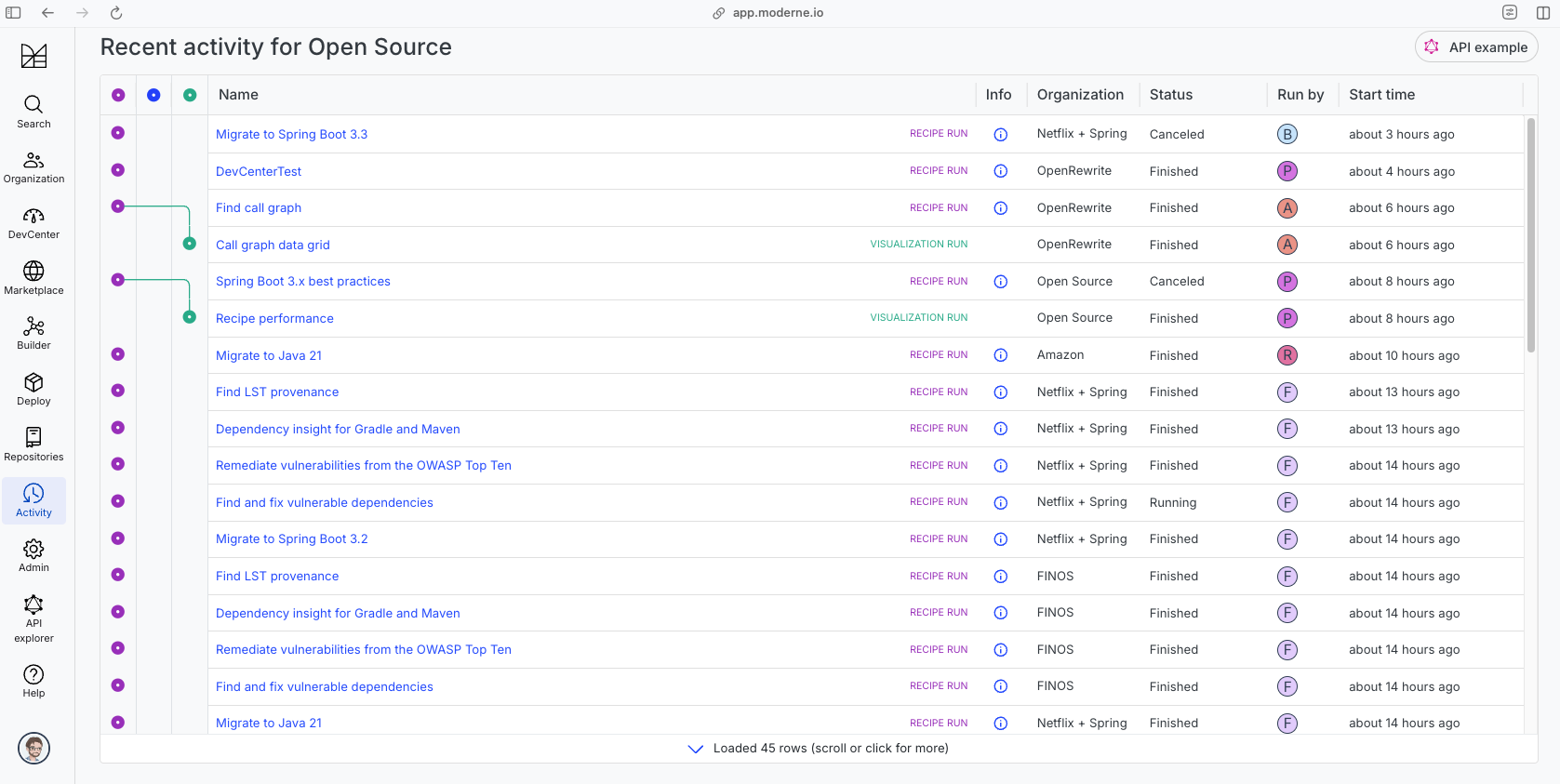
The community edition of the Moderne platform enables you to easily run recipes across thousands of open-source repositories.
Please contact Moderne for more information about safely running the recipes on your own codebase in a private SaaS.