Migrate to Java 25
In this tutorial, we'll use OpenRewrite to perform an automated migration from Java 21 to Java 25. While this recipe will upgrade your Java 8, 11, or 17 projects to Java 25, this guide won't cover the changes that occur from those versions to Java 25. For information on migrating to Java 21 from those versions, check out our migrate to Java 21 guide.
This guide uses org.openrewrite.recipe:rewrite-migrate-java, a Moderne source-available recipe module. Compiled binaries are only available to Moderne customers, hosted at the Code Genome Project. For non-commercial use you can compile and publish the recipe module locally to use the recipes.
Example Configuration
The Java 25 migration recipe can be applied by including OpenRewrite's plugin to your project and including a dependency on rewrite-migrate-java:
This recipe has no required configuration options. It can be activated by adding a dependency on `org.openrewrite.recipe:rewrite-migrate-java` in your build file or by running a shell command (in which case no build changes are needed):
OpenRewrite artifacts, including the Maven and Gradle plugins themselves, are distributed through the Code Genome Project repository (https://artifacts.codegenomeproject.org/maven), which requires authentication. Sign in to the Code Genome Project to create a download token; your build authenticates with the email or username you signed in with, plus that token as the password. See the quickstart guide for details.
- Gradle
- Gradle init script
- Gradle init script (Kotlin)
- Maven POM
- Maven Command Line
- Moderne CLI
- Put your Code Genome Project credentials in
~/.gradle/gradle.properties, so that they are not committed alongside your build:~/.gradle/gradle.propertiescodeGenomeUsername=you@example.com
codeGenomeToken=your-download-token - Add the Code Genome Project repository to your
settings.gradlefile, so that the plugin itself can be resolved:settings.gradlepluginManagement {
repositories {
maven {
url = "https://artifacts.codegenomeproject.org/maven"
credentials {
username = providers.gradleProperty("codeGenomeUsername").get()
password = providers.gradleProperty("codeGenomeToken").get()
}
}
// Keep the portal for any other plugins your build applies
gradlePluginPortal()
}
} - Add the following to your
build.gradlefile:build.gradleplugins {
id("org.openrewrite.rewrite") version("latest.release")
}
rewrite {
activeRecipe("org.openrewrite.java.migrate.UpgradeToJava25")
setExportDatatables(true)
}
repositories {
mavenCentral()
maven {
url = "https://artifacts.codegenomeproject.org/maven"
credentials {
username = providers.gradleProperty("codeGenomeUsername").get()
password = providers.gradleProperty("codeGenomeToken").get()
}
}
}
dependencies {
rewrite("org.openrewrite.recipe:rewrite-migrate-java:3.46.0")
} - Run
gradle rewriteRunto run the recipe.
- Export your Code Genome Project credentials. Init scripts run before any project is configured, so they cannot read
gradle.properties:shellexport CODE_GENOME_USERNAME='you@example.com'
export CODE_GENOME_TOKEN='your-download-token' - Create a file named
init.gradlein the root of your project.init.gradleinitscript {
repositories {
maven {
url = "https://artifacts.codegenomeproject.org/maven"
credentials {
username = System.getenv("CODE_GENOME_USERNAME")
password = System.getenv("CODE_GENOME_TOKEN")
}
}
}
dependencies { classpath("org.openrewrite:plugin:7.41.0") }
}
rootProject {
plugins.apply(org.openrewrite.gradle.RewritePlugin)
dependencies {
rewrite("org.openrewrite.recipe:rewrite-migrate-java:3.46.0")
}
rewrite {
activeRecipe("org.openrewrite.java.migrate.UpgradeToJava25")
setExportDatatables(true)
}
afterEvaluate {
if (repositories.isEmpty()) {
repositories {
mavenCentral()
}
}
repositories {
maven {
url = "https://artifacts.codegenomeproject.org/maven"
credentials {
username = System.getenv("CODE_GENOME_USERNAME")
password = System.getenv("CODE_GENOME_TOKEN")
}
}
}
}
} - Run the recipe.shell
gradle --init-script init.gradle rewriteRun
- Export your Code Genome Project credentials. Init scripts run before any project is configured, so they cannot read
gradle.properties:shellexport CODE_GENOME_USERNAME='you@example.com'
export CODE_GENOME_TOKEN='your-download-token' - Create a file named
init.gradle.ktsin the root of your project.init.gradle.ktsinitscript {
repositories {
maven {
url = uri("https://artifacts.codegenomeproject.org/maven")
credentials {
username = System.getenv("CODE_GENOME_USERNAME")
password = System.getenv("CODE_GENOME_TOKEN")
}
}
}
dependencies { classpath("org.openrewrite:plugin:7.41.0") }
}
rootProject {
plugins.apply(org.openrewrite.gradle.RewritePlugin::class.java)
dependencies {
add("rewrite", "org.openrewrite.recipe:rewrite-migrate-java:3.46.0")
}
extensions.configure<org.openrewrite.gradle.RewriteExtension> {
activeRecipe("org.openrewrite.java.migrate.UpgradeToJava25")
setExportDatatables(true)
}
afterEvaluate {
if (repositories.isEmpty()) {
repositories {
mavenCentral()
}
}
repositories {
maven {
url = uri("https://artifacts.codegenomeproject.org/maven")
credentials {
username = System.getenv("CODE_GENOME_USERNAME")
password = System.getenv("CODE_GENOME_TOKEN")
}
}
}
}
} - Run the recipe.shell
gradle --init-script init.gradle.kts rewriteRun
- Add the Code Genome Project credentials to your Maven
settings.xmlfile (typically at~/.m2/settings.xml), replacingUSERNAMEandTOKENwith your own:settings.xml<settings>
<servers>
<server>
<id>codegenome</id>
<username>USERNAME</username>
<password>TOKEN</password>
</server>
</servers>
</settings> - Add the following to your
pom.xmlfile:pom.xml<project>
<repositories>
<repository>
<id>codegenome</id>
<url>https://artifacts.codegenomeproject.org/maven</url>
</repository>
</repositories>
<pluginRepositories>
<pluginRepository>
<id>codegenome</id>
<url>https://artifacts.codegenomeproject.org/maven</url>
</pluginRepository>
</pluginRepositories>
<build>
<plugins>
<plugin>
<groupId>org.openrewrite.maven</groupId>
<artifactId>rewrite-maven-plugin</artifactId>
<version>6.50.0</version>
<configuration>
<exportDatatables>true</exportDatatables>
<activeRecipes>
<recipe>org.openrewrite.java.migrate.UpgradeToJava25</recipe>
</activeRecipes>
</configuration>
<dependencies>
<dependency>
<groupId>org.openrewrite.recipe</groupId>
<artifactId>rewrite-migrate-java</artifactId>
<version>3.46.0</version>
</dependency>
</dependencies>
</plugin>
</plugins>
</build>
</project> - Run
mvn rewrite:runto run the recipe.
You will need to have Maven installed on your machine before you can run the following command. Since this approach leaves your pom.xml untouched, the Code Genome Project repository has to be declared in your Maven settings.xml file (typically at ~/.m2/settings.xml) instead: as a pluginRepository so that rewrite-maven-plugin itself can be resolved, and as a repository so that recipe artifacts passed to rewrite.recipeArtifactCoordinates can be resolved.
<settings>
  <servers>
    <server>
      <id>codegenome</id>
      <username>USERNAME</username>
      <password>TOKEN</password>
    </server>
  </servers>
  <profiles>
    <profile>
      <id>codegenome</id>
      <repositories>
        <repository>
          <id>codegenome</id>
          <url>https://artifacts.codegenomeproject.org/maven</url>
        </repository>
      </repositories>
      <pluginRepositories>
        <pluginRepository>
          <id>codegenome</id>
          <url>https://artifacts.codegenomeproject.org/maven</url>
        </pluginRepository>
      </pluginRepositories>
    </profile>
  </profiles>
  <activeProfiles>
    <activeProfile>codegenome</activeProfile>
  </activeProfiles>
</settings>
With those credentials in place you can run the recipe:
mvn -U org.openrewrite.maven:rewrite-maven-plugin:6.50.0:run --define rewrite.recipeArtifactCoordinates=org.openrewrite.recipe:rewrite-migrate-java:RELEASE --define rewrite.activeRecipes=org.openrewrite.java.migrate.UpgradeToJava25 --define rewrite.exportDatatables=true
You will need to have configured the Moderne CLI on your machine before you can run the following command.
mod run . --recipe UpgradeToJava25
If the recipe is not available locally, then you can install it using:
mod config recipes jar install org.openrewrite.recipe:rewrite-migrate-java:3.46.0
At this point, you're ready to execute the migration by running mvn rewrite:run or gradlew rewriteRun. After running the migration you can inspect the results with git diff (or equivalent), manually fix anything that wasn't able to be migrated automatically, and commit the results.
Before and After
For the complete list of changes made by this recipe, please see the reference pages for Java 25.
Please note that this recipe will also migrate from Java 8 to Java 11, migrate from Java 11 to Java 17, and migrate from Java 17 to 21, if you aren't already on Java 21. For details about migrating from Java 8 to 17, check out our migrate to Java 17 popular recipe guide.
If you have a specific use case that is not yet covered by this project, please reach out to our team!
Example Class
Before
package org.openrewrite.example;

import java.io.IOException;
import java.io.Reader;
import java.lang.SecurityManager;
import java.util.List;
import java.util.concurrent.TimeUnit;
import java.util.zip.Inflater;
import java.util.zip.ZipError;
import java.security.Policy;

public class Java25MigrationExamples {

    public static void main(String[] args) {
        System.out.println("Running main method");
    }

    public void printSomething() {
        System.out.print("Hello, Java 25!");
    }

    public void waitForProcess() throws IOException, InterruptedException {
        Process process = Runtime.getRuntime().exec(new String[]{"echo", "test"});
        process.waitFor(5000, TimeUnit.MILLISECONDS);
    }

    public Reader getReader() {
        return new java.io.StringReader("Example");
    }

    public void closeInflater() {
        Inflater inflater = new Inflater();
        inflater.end();
    }

    public void throwZipError() throws ZipError {
        throw new ZipError("bad zip");
    }

    public void underscoreUnused() {
        List<String> names = List.of("Alice", "Bob");
        names.forEach((String unused) -> System.out.println("Hello"));
    }

    public void checkSecurity() {
        Policy.setPolicy(null);

        SecurityManager sm = System.getSecurityManager();
        sm.checkRead("someFile.txt");
    }
}
After
package org.openrewrite.example;

import java.io.IOException;
import java.io.Reader;
import java.lang.SecurityManager;
import java.time.Duration;
import java.util.List;
import java.util.zip.Inflater;
import java.util.zip.ZipException;

public class Java25MigrationExamples {

    // Main methods can now be instance methods
    void main() {
        IO.println("Running main method");
    }

    public void printSomething() {
        // System.out.print is replaced with more modern IO.print
        IO.print("Hello, Java 25!");
    }

    public void waitForProcess() throws IOException, InterruptedException {
        Process process = Runtime.getRuntime().exec(new String[]{"echo", "test"});
        // waitFor(Duration) is more type-safe and expressive than TimeUnit constants
        process.waitFor(Duration.ofSeconds(5));
    }

    public Reader getReader() {
        // Prefer Reader.of(..) over manually constructing StringReader
        return Reader.of("Example");
    }

    public void closeInflater() {
        Inflater inflater = new Inflater();
        // Inflater now implements AutoCloseable; using close() enables try-with-resources
        inflater.close();
    }

    public void throwZipError() throws ZipException {
        // ZipError is deprecated, replaced by ZipException
        throw new ZipException("bad zip");
    }

    public void underscoreUnused() {
        List<String> names = List.of("Alice", "Bob");
        // Unused lambda parameters should use `_`
        names.forEach((String _) -> IO.println("Hello"));
    }

    public void checkSecurity() {
        // SecurityManager is obsolete and unsupported in Java 25
        // Setting to `null` makes the dead code explicit and future-proof
        SecurityManager sm = null;
    }
}
The above example class demonstrates many of the common changes when migrating from Java 21 to 25. That being said, there may be additional tasks covered by this recipe that are not represented in this example. Check out the migrate to Java 25 documentation for a full list of what the recipe does.
See how this recipe works across multiple open-source repositories
Run this recipe on OSS repos at scale with the Moderne SaaS.
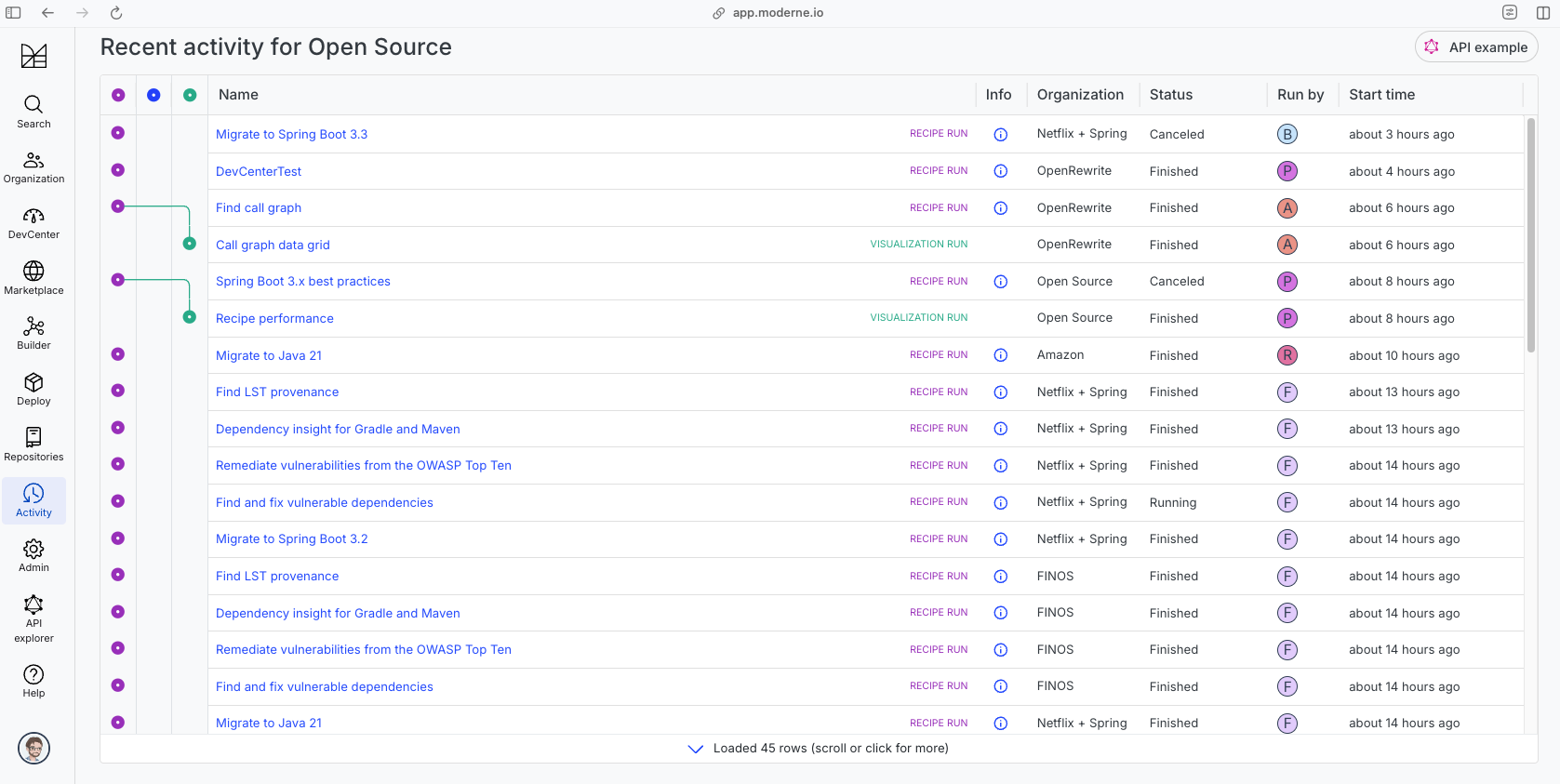
The community edition of the Moderne platform enables you to easily run recipes across thousands of open-source repositories.
Please contact Moderne for more information about safely running the recipes on your own codebase in a private SaaS.