Add cooldown periods to Dependabot configuration
org.openrewrite.github.AddDependabotCooldown
Adds a cooldown section to each update configuration in Dependabot files. Supports default-days, semver-major-days, semver-minor-days, semver-patch-days, include, and exclude options. This implements a security best practice where dependencies are not immediately adopted upon release, allowing time for security vendors to identify potential supply chain compromises. Cooldown applies only to version updates, not security updates. Read more about dependency cooldowns. The available configuration options for dependabot are listed on GitHub.
Tags
Recipe source
GitHub: AddDependabotCooldown.java, Issue Tracker, Code Genome Project
This recipe is available under the Moderne Source Available License. Moderne customers can download precompiled artifacts from The Code Genome Project. For non-commercial use you can build the artifact from source locally.
Options
| Type | Name | Description | Example |
|---|---|---|---|
Integer | cooldownDays | Optional. The number of days to wait before considering a published dependency suitable for use (1-90). This delay allows security vendors time to identify potential compromises. Applied to all version types unless specific semver options are set. | 7 |
Integer | semverMajorDays | Optional. The number of days to wait for major version updates (1-90). Only applies to package managers that support semantic versioning. | 14 |
Integer | semverMinorDays | Optional. The number of days to wait for minor version updates (1-90). Only applies to package managers that support semantic versioning. | 7 |
Integer | semverPatchDays | Optional. The number of days to wait for patch version updates (1-90). Only applies to package managers that support semantic versioning. | 3 |
List | include | Optional. List of up to 150 dependencies to apply cooldown to. Supports wildcard patterns with *. If not specified, cooldown applies to all dependencies. | lodash, react* |
List | exclude | Optional. List of up to 150 dependencies to exempt from cooldown. Supports wildcard patterns with *. Exclude list takes precedence over include list. | critical-security-package |
List | excludeEcosystems | Optional. List of ecosystems to be excluded | github-actions |
Example
Parameters
| Parameter | Value |
|---|---|
| cooldownDays | null |
| semverMajorDays | null |
| semverMinorDays | null |
| semverPatchDays | null |
| include | null |
| exclude | null |
| excludeEcosystems | null |
- .github/dependabot.yml
- Diff
Before
version: 2
updates:
  - package-ecosystem: github-actions
    directory: /
    schedule:
      interval: daily
  - package-ecosystem: maven
    directory: /
    schedule:
      interval: weekly
After
version: 2
updates:
  - package-ecosystem: github-actions
    directory: /
    schedule:
      interval: daily
    cooldown:
      default-days: 7
  - package-ecosystem: maven
    directory: /
    schedule:
      interval: weekly
    cooldown:
      default-days: 7
--- .github/dependabot.yml
+++ .github/dependabot.yml
@@ -7,0 +7,2 @@
    schedule:
      interval: daily
+   cooldown:
+     default-days: 7
  - package-ecosystem: maven
@@ -11,0 +13,2 @@
    schedule:
      interval: weekly
+   cooldown:
+     default-days: 7
Usage
This recipe has no required configuration options. It can be activated by adding a dependency on `org.openrewrite.recipe:rewrite-github-actions` in your build file or by running a shell command (in which case no build changes are needed):
OpenRewrite artifacts, including the Maven and Gradle plugins themselves, are distributed through the Code Genome Project repository (https://artifacts.codegenomeproject.org/maven), which requires authentication. Sign in to the Code Genome Project to create a download token; your build authenticates with the email or username you signed in with, plus that token as the password. See the quickstart guide for details.
- Gradle
- Gradle init script
- Gradle init script (Kotlin)
- Maven POM
- Maven Command Line
- Moderne CLI
- Put your Code Genome Project credentials in
~/.gradle/gradle.properties, so that they are not committed alongside your build:~/.gradle/gradle.propertiescodeGenomeUsername=you@example.com
codeGenomeToken=your-download-token - Add the Code Genome Project repository to your
settings.gradlefile, so that the plugin itself can be resolved:settings.gradlepluginManagement {
repositories {
maven {
url = "https://artifacts.codegenomeproject.org/maven"
credentials {
username = providers.gradleProperty("codeGenomeUsername").get()
password = providers.gradleProperty("codeGenomeToken").get()
}
}
// Keep the portal for any other plugins your build applies
gradlePluginPortal()
}
} - Add the following to your
build.gradlefile:build.gradleplugins {
id("org.openrewrite.rewrite") version("latest.release")
}
rewrite {
activeRecipe("org.openrewrite.github.AddDependabotCooldown")
setExportDatatables(true)
}
repositories {
mavenCentral()
maven {
url = "https://artifacts.codegenomeproject.org/maven"
credentials {
username = providers.gradleProperty("codeGenomeUsername").get()
password = providers.gradleProperty("codeGenomeToken").get()
}
}
}
dependencies {
rewrite("org.openrewrite.recipe:rewrite-github-actions:3.33.0")
} - Run
gradle rewriteRunto run the recipe.
- Export your Code Genome Project credentials. Init scripts run before any project is configured, so they cannot read
gradle.properties:shellexport CODE_GENOME_USERNAME='you@example.com'
export CODE_GENOME_TOKEN='your-download-token' - Create a file named
init.gradlein the root of your project.init.gradleinitscript {
repositories {
maven {
url = "https://artifacts.codegenomeproject.org/maven"
credentials {
username = System.getenv("CODE_GENOME_USERNAME")
password = System.getenv("CODE_GENOME_TOKEN")
}
}
}
dependencies { classpath("org.openrewrite:plugin:7.44.1") }
}
rootProject {
plugins.apply(org.openrewrite.gradle.RewritePlugin)
dependencies {
rewrite("org.openrewrite.recipe:rewrite-github-actions:3.33.0")
}
rewrite {
activeRecipe("org.openrewrite.github.AddDependabotCooldown")
setExportDatatables(true)
}
afterEvaluate {
if (repositories.isEmpty()) {
repositories {
mavenCentral()
}
}
repositories {
maven {
url = "https://artifacts.codegenomeproject.org/maven"
credentials {
username = System.getenv("CODE_GENOME_USERNAME")
password = System.getenv("CODE_GENOME_TOKEN")
}
}
}
}
} - Run the recipe.shell
gradle --init-script init.gradle rewriteRun
- Export your Code Genome Project credentials. Init scripts run before any project is configured, so they cannot read
gradle.properties:shellexport CODE_GENOME_USERNAME='you@example.com'
export CODE_GENOME_TOKEN='your-download-token' - Create a file named
init.gradle.ktsin the root of your project.init.gradle.ktsinitscript {
repositories {
maven {
url = uri("https://artifacts.codegenomeproject.org/maven")
credentials {
username = System.getenv("CODE_GENOME_USERNAME")
password = System.getenv("CODE_GENOME_TOKEN")
}
}
}
dependencies { classpath("org.openrewrite:plugin:7.44.1") }
}
rootProject {
plugins.apply(org.openrewrite.gradle.RewritePlugin::class.java)
dependencies {
add("rewrite", "org.openrewrite.recipe:rewrite-github-actions:3.33.0")
}
extensions.configure<org.openrewrite.gradle.RewriteExtension> {
activeRecipe("org.openrewrite.github.AddDependabotCooldown")
setExportDatatables(true)
}
afterEvaluate {
if (repositories.isEmpty()) {
repositories {
mavenCentral()
}
}
repositories {
maven {
url = uri("https://artifacts.codegenomeproject.org/maven")
credentials {
username = System.getenv("CODE_GENOME_USERNAME")
password = System.getenv("CODE_GENOME_TOKEN")
}
}
}
}
} - Run the recipe.shell
gradle --init-script init.gradle.kts rewriteRun
- Add the Code Genome Project credentials to your Maven
settings.xmlfile (typically at~/.m2/settings.xml), replacingUSERNAMEandTOKENwith your own:settings.xml<settings>
<servers>
<server>
<id>codegenome</id>
<username>USERNAME</username>
<password>TOKEN</password>
</server>
</servers>
</settings> - Add the following to your
pom.xmlfile:pom.xml<project>
<repositories>
<repository>
<id>codegenome</id>
<url>https://artifacts.codegenomeproject.org/maven</url>
</repository>
</repositories>
<pluginRepositories>
<pluginRepository>
<id>codegenome</id>
<url>https://artifacts.codegenomeproject.org/maven</url>
</pluginRepository>
</pluginRepositories>
<build>
<plugins>
<plugin>
<groupId>org.openrewrite.maven</groupId>
<artifactId>rewrite-maven-plugin</artifactId>
<version>6.50.0</version>
<configuration>
<exportDatatables>true</exportDatatables>
<activeRecipes>
<recipe>org.openrewrite.github.AddDependabotCooldown</recipe>
</activeRecipes>
</configuration>
<dependencies>
<dependency>
<groupId>org.openrewrite.recipe</groupId>
<artifactId>rewrite-github-actions</artifactId>
<version>3.33.0</version>
</dependency>
</dependencies>
</plugin>
</plugins>
</build>
</project> - Run
mvn rewrite:runto run the recipe.
You will need to have Maven installed on your machine before you can run the following command. Since this approach leaves your pom.xml untouched, the Code Genome Project repository has to be declared in your Maven settings.xml file (typically at ~/.m2/settings.xml) instead: as a pluginRepository so that rewrite-maven-plugin itself can be resolved, and as a repository so that recipe artifacts passed to rewrite.recipeArtifactCoordinates can be resolved.
<settings>
  <servers>
    <server>
      <id>codegenome</id>
      <username>USERNAME</username>
      <password>TOKEN</password>
    </server>
  </servers>
  <profiles>
    <profile>
      <id>codegenome</id>
      <repositories>
        <repository>
          <id>codegenome</id>
          <url>https://artifacts.codegenomeproject.org/maven</url>
        </repository>
      </repositories>
      <pluginRepositories>
        <pluginRepository>
          <id>codegenome</id>
          <url>https://artifacts.codegenomeproject.org/maven</url>
        </pluginRepository>
      </pluginRepositories>
    </profile>
  </profiles>
  <activeProfiles>
    <activeProfile>codegenome</activeProfile>
  </activeProfiles>
</settings>
With those credentials in place you can run the recipe:
mvn -U org.openrewrite.maven:rewrite-maven-plugin:6.50.0:run --define rewrite.recipeArtifactCoordinates=org.openrewrite.recipe:rewrite-github-actions:RELEASE --define rewrite.activeRecipes=org.openrewrite.github.AddDependabotCooldown --define rewrite.exportDatatables=true
You will need to have configured the Moderne CLI on your machine before you can run the following command.
mod run . --recipe AddDependabotCooldown
To also set the recipe's optional settings, add them to the command. The values below are examples, not recommendations; see Options for what each one does.
mod run . --recipe AddDependabotCooldown \
  --recipe-option "cooldownDays=7" \
  --recipe-option "semverMajorDays=14" \
  --recipe-option "semverMinorDays=7" \
  --recipe-option "semverPatchDays=3" \
  --recipe-option "include=lodash, react*" \
  --recipe-option "exclude=critical-security-package" \
  --recipe-option "excludeEcosystems=github-actions"
If the recipe is not available locally, then you can install it using:
mod config recipes jar install org.openrewrite.recipe:rewrite-github-actions:3.33.0
See how this recipe works across multiple open-source repositories
Run this recipe on OSS repos at scale with the Moderne SaaS.
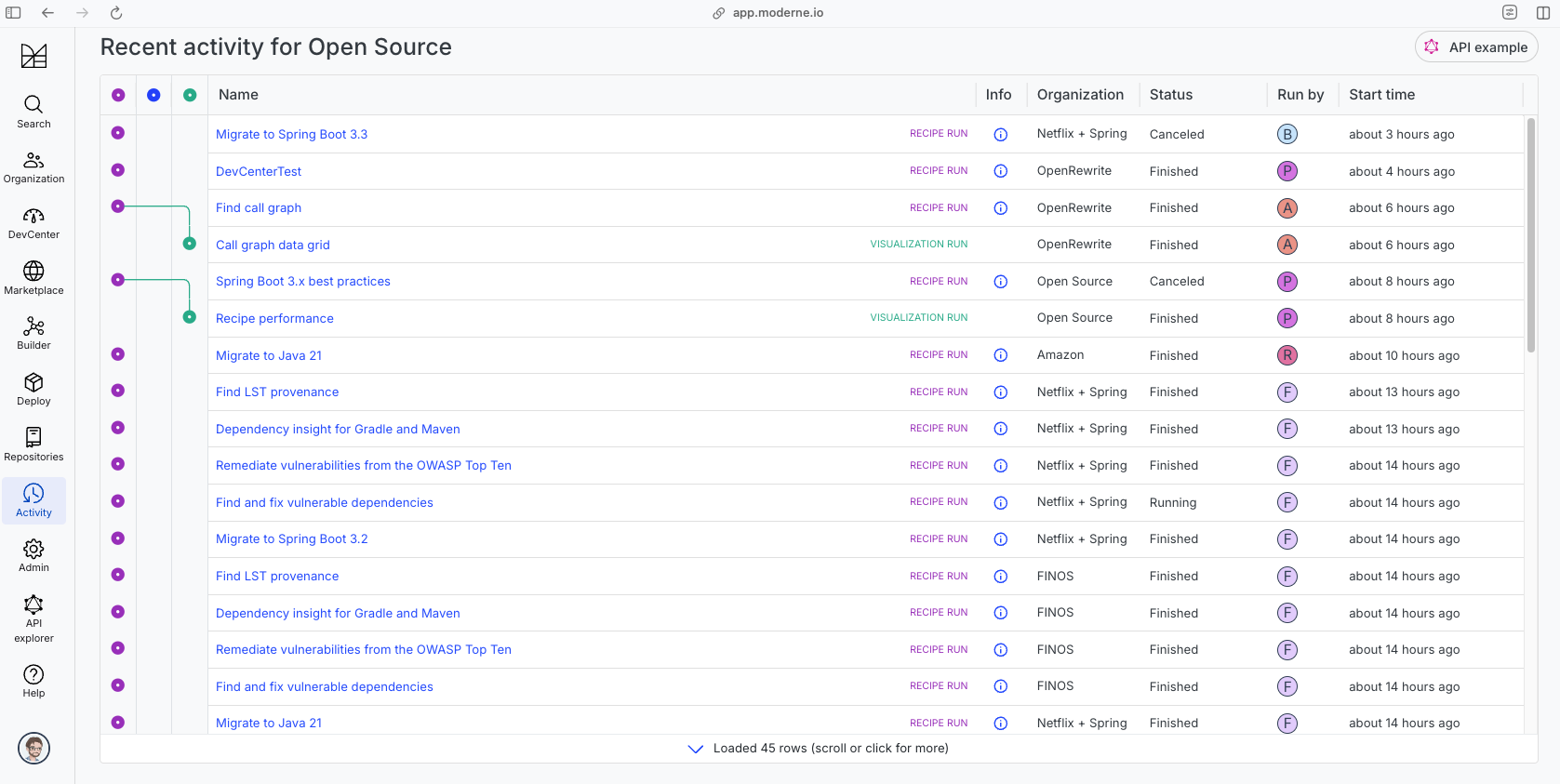
The community edition of the Moderne platform enables you to easily run recipes across thousands of open-source repositories.
Please contact Moderne for more information about safely running the recipes on your own codebase in a private SaaS.
Data Tables
- SourcesFileResults
- SearchResults
- SourcesFileErrors
- RecipeRunStats
Source files that had results
org.openrewrite.table.SourcesFileResults
Source files that were modified by the recipe run.
| Column Name | Description |
|---|---|
| Source path before the run | The source path of the file before the run. null when a source file was created during the run. |
| Source path after the run | A recipe may modify the source path. This is the path after the run. null when a source file was deleted during the run. |
| Parent of the recipe that made changes | In a hierarchical recipe, the parent of the recipe that made a change. Empty if this is the root of a hierarchy or if the recipe is not hierarchical at all. |
| Recipe that made changes | The specific recipe that made a change. |
| Estimated time saving | An estimated effort that a developer to fix manually instead of using this recipe, in unit of seconds. |
| Cycle | The recipe cycle in which the change was made. |
Source files that had search results
org.openrewrite.table.SearchResults
Search results that were found during the recipe run.
| Column Name | Description |
|---|---|
| Source path of search result before the run | The source path of the file with the search result markers present. |
| Source path of search result after run the run | A recipe may modify the source path. This is the path after the run. null when a source file was deleted during the run. |
| Result | The trimmed printed tree of the LST element that the marker is attached to. |
| Description | The content of the description of the marker. |
| Recipe that added the search marker | The specific recipe that added the Search marker. |
Source files that errored on a recipe
org.openrewrite.table.SourcesFileErrors
The details of all errors produced by a recipe run.
| Column Name | Description |
|---|---|
| Source path | The file that failed to parse. |
| Recipe that made changes | The specific recipe that made a change. |
| Stack trace | The stack trace of the failure. |
Recipe performance
org.openrewrite.table.RecipeRunStats
Statistics used in analyzing the performance of recipes.
| Column Name | Description |
|---|---|
| The recipe | The recipe whose stats are being measured both individually and cumulatively. |
| Source file count | The number of source files the recipe ran over. |
| Source file changed count | The number of source files which were changed in the recipe run. Includes files created, deleted, and edited. |
| Cumulative scanning time (ns) | The total time spent across the scanning phase of this recipe. |
| Max scanning time (ns) | The max time scanning any one source file. |
| Cumulative edit time (ns) | The total time spent across the editing phase of this recipe. |
| Max edit time (ns) | The max time editing any one source file. |