Change Docker FROM
org.openrewrite.docker.ChangeFrom
Change the base image in a Dockerfile FROM instruction. Each * in an old* glob is a positional capture; $N in the paired new* substitutes capture N. $0 substitutes the full original value; \$ is a literal dollar.
Recipe source
GitHub: ChangeFrom.java, Issue Tracker, Code Genome Project
This recipe is available under the Apache License Version 2.0.
Options
| Type | Name | Description | Example |
|---|---|---|---|
String | oldImageName | Glob pattern to match image names (without tag/digest). | ubuntu |
String | oldTag | Optional. Only match images with tags matching this glob pattern. If null, matches any tag or no tag. | 20.* |
String | oldDigest | Optional. Only match images with digests matching this glob pattern. If null, matches any digest or no digest. If empty (""), matches only images that have no digest, which is useful for skipping digest-pinned FROMs so deliberate pins are left untouched. | sha256:* |
String | oldPlatform | Optional. Only change images with this platform. If null, matches any platform. | linux/amd64 |
String | newImageName | Optional. The new image name. If null, preserves the existing name. | ubuntu |
String | newTag | Optional. The new tag. If null, preserves the existing tag. If empty, removes the tag. | 22.04 |
String | newDigest | Optional. The new digest. If null, preserves the existing digest. If empty, removes the digest. | sha256:abc123... |
String | newPlatform | Optional. The new platform. If null, preserves the existing platform. If empty, removes the platform flag. | linux/arm64 |
Example
Parameters
| Parameter | Value |
|---|---|
| oldImageName | ubuntu |
| oldTag | 20.04 |
| oldDigest | null |
| oldPlatform | null |
| newImageName | ubuntu |
| newTag | 22.04 |
| newDigest | null |
| newPlatform | null |
- docker
- Diff
Usage
This recipe has required configuration parameters. Recipes with required configuration parameters cannot be activated directly (unless you are running them via the Moderne CLI). To activate this recipe you must create a new recipe which fills in the required parameters. In your rewrite.yml create a new recipe with a unique name. For example: com.yourorg.ChangeFromExample.
Here's how you can define and customize such a recipe within your rewrite.yml:
---
type: specs.openrewrite.org/v1beta/recipe
name: com.yourorg.ChangeFromExample
displayName: Change Docker FROM example
recipeList:
  - org.openrewrite.docker.ChangeFrom:
      oldImageName: ubuntu
      oldTag: 20.*
      oldDigest: sha256:*
      oldPlatform: linux/amd64
      newImageName: ubuntu
      newTag: 22.04
      newDigest: sha256:abc123...
      newPlatform: linux/arm64
This recipe has no required configuration parameters and comes from a rewrite core library. It can be activated directly without adding any dependencies.
Now that com.yourorg.ChangeFromExample has been defined, activate it in your build file:
OpenRewrite artifacts, including the Maven and Gradle plugins themselves, are distributed through the Code Genome Project repository (https://artifacts.codegenomeproject.org/maven), which requires authentication. Sign in to the Code Genome Project to create a download token; your build authenticates with the email or username you signed in with, plus that token as the password. See the quickstart guide for details.
- Gradle
- Maven POM
- Moderne CLI
- Put your Code Genome Project credentials in
~/.gradle/gradle.properties, so that they are not committed alongside your build:~/.gradle/gradle.propertiescodeGenomeUsername=you@example.com
codeGenomeToken=your-download-token - Add the Code Genome Project repository to your
settings.gradlefile, so that the plugin itself can be resolved:settings.gradlepluginManagement {
repositories {
maven {
url = "https://artifacts.codegenomeproject.org/maven"
credentials {
username = providers.gradleProperty("codeGenomeUsername").get()
password = providers.gradleProperty("codeGenomeToken").get()
}
}
// Keep the portal for any other plugins your build applies
gradlePluginPortal()
}
} - Add the following to your
build.gradlefile:build.gradleplugins {
id("org.openrewrite.rewrite") version("latest.release")
}
rewrite {
activeRecipe("com.yourorg.ChangeFromExample")
setExportDatatables(true)
}
repositories {
mavenCentral()
maven {
url = "https://artifacts.codegenomeproject.org/maven"
credentials {
username = providers.gradleProperty("codeGenomeUsername").get()
password = providers.gradleProperty("codeGenomeToken").get()
}
}
} - Run
gradle rewriteRunto run the recipe.
- Add the Code Genome Project credentials to your Maven
settings.xmlfile (typically at~/.m2/settings.xml), replacingUSERNAMEandTOKENwith your own:settings.xml<settings>
<servers>
<server>
<id>codegenome</id>
<username>USERNAME</username>
<password>TOKEN</password>
</server>
</servers>
</settings> - Add the following to your
pom.xmlfile:pom.xml<project>
<repositories>
<repository>
<id>codegenome</id>
<url>https://artifacts.codegenomeproject.org/maven</url>
</repository>
</repositories>
<pluginRepositories>
<pluginRepository>
<id>codegenome</id>
<url>https://artifacts.codegenomeproject.org/maven</url>
</pluginRepository>
</pluginRepositories>
<build>
<plugins>
<plugin>
<groupId>org.openrewrite.maven</groupId>
<artifactId>rewrite-maven-plugin</artifactId>
<version>6.49.0</version>
<configuration>
<exportDatatables>true</exportDatatables>
<activeRecipes>
<recipe>com.yourorg.ChangeFromExample</recipe>
</activeRecipes>
</configuration>
</plugin>
</plugins>
</build>
</project> - Run
mvn rewrite:runto run the recipe.
You will need to have configured the Moderne CLI on your machine before you can run the following command.
mod run . --recipe ChangeFrom --recipe-option "oldImageName=ubuntu" --recipe-option "oldTag=20.*" --recipe-option "oldDigest=sha256:*" --recipe-option "oldPlatform=linux/amd64" --recipe-option "newImageName=ubuntu" --recipe-option "newTag=22.04" --recipe-option "newDigest=sha256:abc123..." --recipe-option "newPlatform=linux/arm64"
If the recipe is not available locally, then you can install it using:
mod config recipes jar install org.openrewrite:rewrite-docker:8.92.18
See how this recipe works across multiple open-source repositories
Run this recipe on OSS repos at scale with the Moderne SaaS.
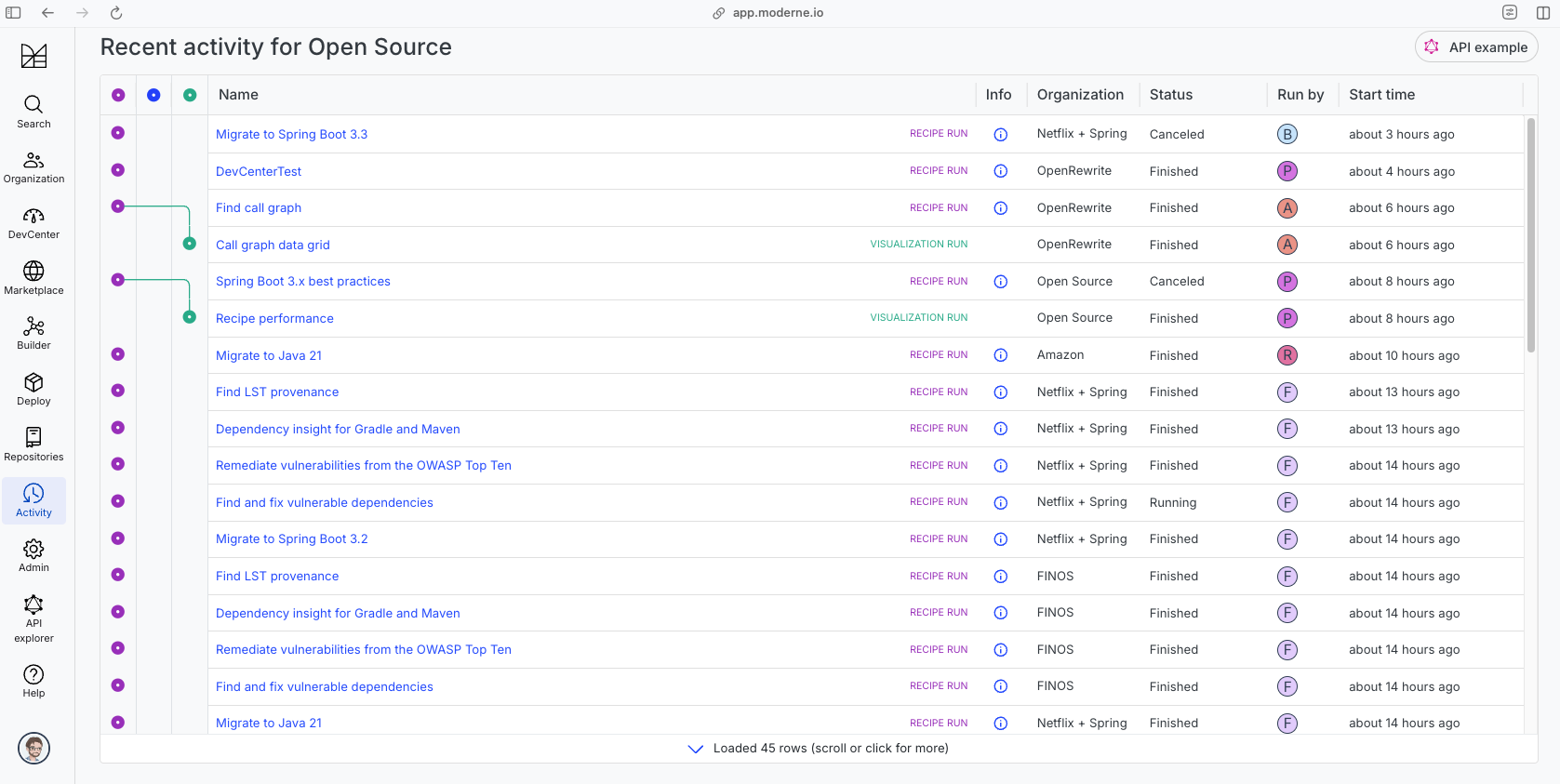
The community edition of the Moderne platform enables you to easily run recipes across thousands of open-source repositories.
Please contact Moderne for more information about safely running the recipes on your own codebase in a private SaaS.
Data Tables
- SourcesFileResults
- SearchResults
- SourcesFileErrors
- RecipeRunStats
Source files that had results
org.openrewrite.table.SourcesFileResults
Source files that were modified by the recipe run.
| Column Name | Description |
|---|---|
| Source path before the run | The source path of the file before the run. null when a source file was created during the run. |
| Source path after the run | A recipe may modify the source path. This is the path after the run. null when a source file was deleted during the run. |
| Parent of the recipe that made changes | In a hierarchical recipe, the parent of the recipe that made a change. Empty if this is the root of a hierarchy or if the recipe is not hierarchical at all. |
| Recipe that made changes | The specific recipe that made a change. |
| Estimated time saving | An estimated effort that a developer to fix manually instead of using this recipe, in unit of seconds. |
| Cycle | The recipe cycle in which the change was made. |
Source files that had search results
org.openrewrite.table.SearchResults
Search results that were found during the recipe run.
| Column Name | Description |
|---|---|
| Source path of search result before the run | The source path of the file with the search result markers present. |
| Source path of search result after run the run | A recipe may modify the source path. This is the path after the run. null when a source file was deleted during the run. |
| Result | The trimmed printed tree of the LST element that the marker is attached to. |
| Description | The content of the description of the marker. |
| Recipe that added the search marker | The specific recipe that added the Search marker. |
Source files that errored on a recipe
org.openrewrite.table.SourcesFileErrors
The details of all errors produced by a recipe run.
| Column Name | Description |
|---|---|
| Source path | The file that failed to parse. |
| Recipe that made changes | The specific recipe that made a change. |
| Stack trace | The stack trace of the failure. |
Recipe performance
org.openrewrite.table.RecipeRunStats
Statistics used in analyzing the performance of recipes.
| Column Name | Description |
|---|---|
| The recipe | The recipe whose stats are being measured both individually and cumulatively. |
| Source file count | The number of source files the recipe ran over. |
| Source file changed count | The number of source files which were changed in the recipe run. Includes files created, deleted, and edited. |
| Cumulative scanning time (ns) | The total time spent across the scanning phase of this recipe. |
| Max scanning time (ns) | The max time scanning any one source file. |
| Cumulative edit time (ns) | The total time spent across the editing phase of this recipe. |
| Max edit time (ns) | The max time editing any one source file. |